ZenCrawl Instant Scraper
Turn any website into a spreadsheet or database in seconds.
The ZenCrawl Chrome Extension is the entry point to our ecosystem. It is designed for sales professionals, marketers, and researchers who need data now, without writing a single line of Python.
Pro Tip for Developers: You can use this extension to visually generate selectors and export them as JSON configurations for the Web Scraper API.
The "Insight Probe": Hover, Click, Scrape
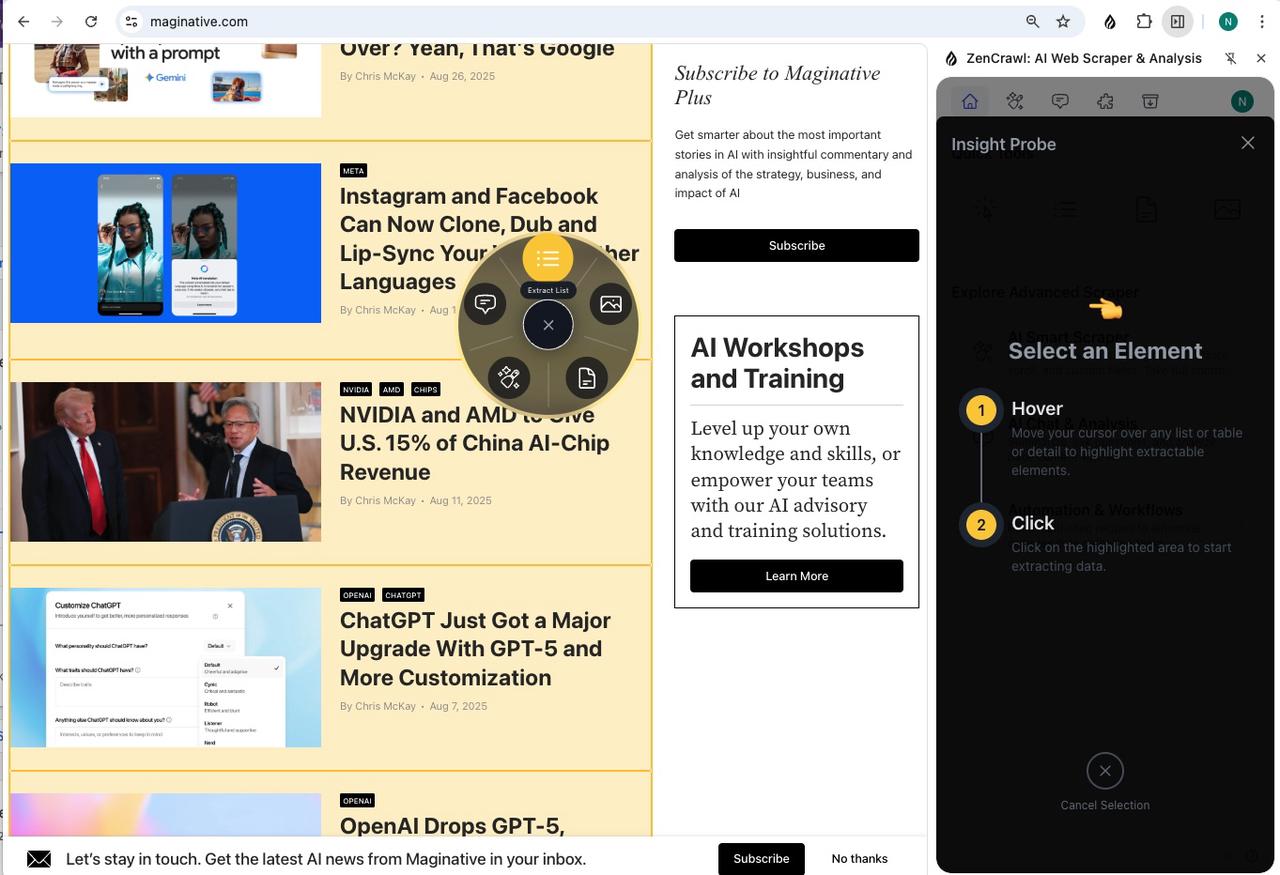
At the heart of our extension is the Insight Probe—a revolutionary way to interact with web data. Forget about complex sidebars; just browse the web as usual.
How it works:
- Intelligent Hover: Move your mouse over a list (e.g., LinkedIn search results, Amazon products). The Probe automatically highlights the structured data pattern.
- Radial Action Wheel: Click on the highlight to trigger the Radial Wheel—a contextual menu that offers the right tools for the specific content.
- Instant Action: Select "Extract List" to download a CSV instantly, or "Analyze" to send the data to AI.
Quick Tools: For Everyday Tasks
Located at the top of the extension panel, these tools handle common "one-off" requirements instantly.
1. ⚡ List Extractor (Smart Table)
Best for: Converting HTML tables or Lists into Excel.
- Algorithm-Driven: Instantly detects repeated patterns (rows/columns).
- Output: Download as
.csvor.xlsx. - Use Case: Grabbing a list of attendees, pricing tables, or stock data.
2. 📄 Article Extractor (Content)
Best for: LLM Context and Research.
- Clean Text: Strips ads, navbars, and clutter.
- Markdown Ready: Copies the content in optimized Markdown format, perfect for pasting into ChatGPT/Claude or Notion.
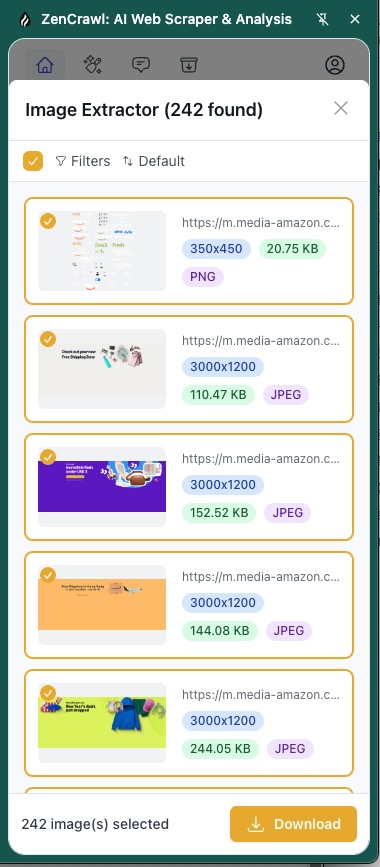
3. 🖼️ Image Extractor
Best for: E-commerce and Design.
- Batch Download: Detects all high-res images on the page.
- Filter: Filter by size or aspect ratio to ignore icons and thumbnails.
- Zip Download: Get all product images in a single click.
Advanced Scraper: Go Deeper
When the "Quick Tools" aren't enough, the Advanced Scraper modules provide professional-grade control.
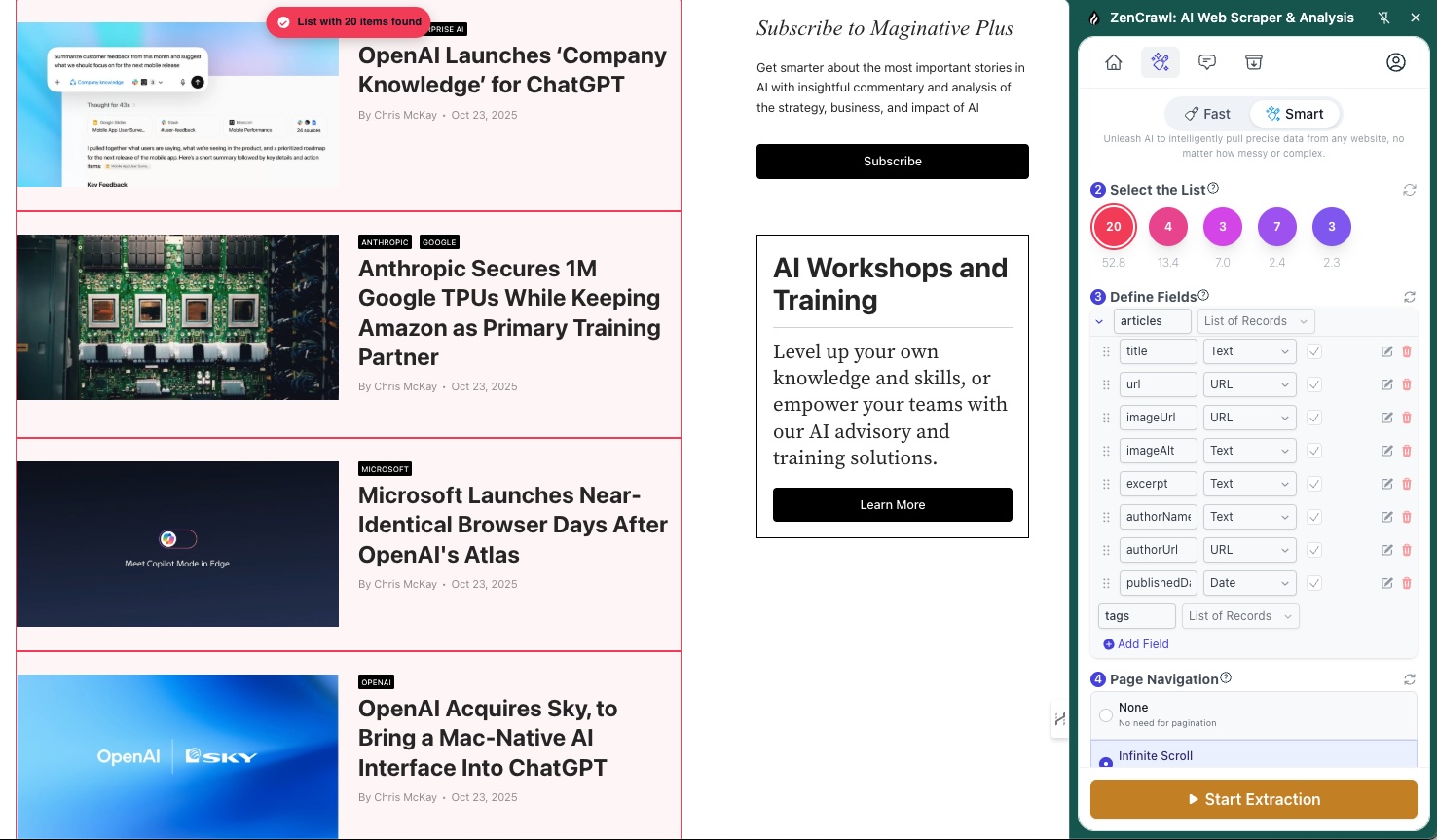
✨ AI Smart Scraper
Handle complex pagination (Infinite Scroll, "Next" buttons) and dynamic fields.
- Fast Mode (Algorithm):
- Speed: Instant.
- Cost: Free/Low.
- Logic: Uses visual structure analysis. Best for standard tables and simple lists.
- Smart Mode (AI-Powered):
- Speed: High precision.
- Logic: Uses LLMs to understand semantic meaning (e.g., distinguishing "Company Name" from "Job Title" even if the HTML is messy).
- Quality: Highest accuracy for complex layouts.
💬 AI Chat & Analysis
Don't just scrape the data—talk to it.
- "Summarize the pros and cons from these Amazon reviews."
- "Find the email address of the CEO from this 'About Us' page."
- The AI reads the page DOM and answers your questions directly.
Who Is This For?
| Role | Use Case | Recommended Tool |
|---|---|---|
| Sales (SDR) | Scrape LinkedIn search results to find leads. | Insight Probe -> CSV |
| Data Analyst | Monitor competitor pricing on Amazon/Shopify. | Smart Scraper (List) |
| Content Creator | Turn blog posts into tweets/summary. | Article Extractor (Markdown) |
| Developer | Generate scraping recipes for the API. | Insight Probe -> Export Code |
Installation & Setup
Install the Extension
Visit the Chrome Web Store and click Add to Chrome. Pin the ZenCrawl icon to your toolbar for easy access.
Navigate & Activate
Go to your target website (e.g., linkedin.com/search or amazon.com). Click the ZenCrawl icon to open the Side Panel.
Choose Your Mode
- For speed: Toggle the "Insight Probe" (Magic Wand icon) and hover over the page.
- For control: Select "AI Smart Scraper" from the menu to configure pagination rules.
Export
Preview your data in the table view, delete unwanted rows, and click Export.
FAQ
Q: Is it free? Yes. The Quick Tools (List, Article, Image) and Insight Probe features are free to use. The AI Smart Scraper (Smart Mode) consumes credits for AI processing.
Q: Does it work on dynamic pages (React/Angular)? Yes. Since it runs in your browser, it captures exactly what you see, including content rendered by JavaScript.
Q: Can I scrape behind a login? Yes. The extension uses your current browser session (cookies), so if you are logged into a website (like LinkedIn or Facebook), ZenCrawl can scrape the data you have access to.
Q: How is this different from the API? The Extension is for manual, small-batch extraction on your local machine. The Web Scraper API is for automated, large-scale extraction in the cloud.